> ## Documentation Index
> Fetch the complete documentation index at: https://docs.confine.app/llms.txt
> Use this file to discover all available pages before exploring further.
# Social Notifications
> Never miss a new post — confine announces it for you automatically.
## Supported platforms
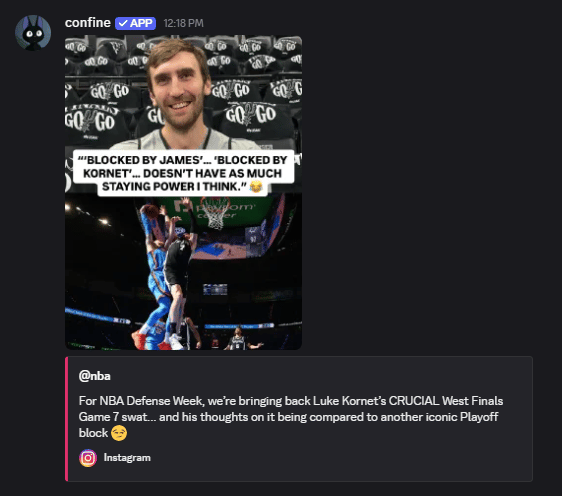
Confine watches these accounts and posts to a channel of your choosing when something new goes up.
| Platform | Fires when |
| --------------- | ----------------------- |
| **Instagram** | A new post is uploaded |
| **TikTok** | A new video is uploaded |
| **Twitter / X** | A new tweet is posted |
| **Pinterest** | A new pin is saved |
| **Kick** | A streamer goes live |
Up to **5 accounts per platform** per server. Setting up feeds requires **Manage Server**.
 ## Commands
Examples use `,twitter`, but Instagram, TikTok, and Kick work the same way.
```javascript Syntax theme={null}
,twitter add (channel) (username)
```
```javascript Example theme={null}
,twitter add #notifs playboicarti
```
Confine checks the account exists before saving it, so a typo gets caught immediately rather than silently never posting.
```javascript Syntax theme={null}
,twitter remove (channel) (username)
```
```javascript Example theme={null}
,twitter remove #notifs playboicarti
```
`,twitter list` shows every tracked account and the channel it posts to.
`,twitter reset` removes every feed for that platform in the server.
## Customizing the message
## Commands
Examples use `,twitter`, but Instagram, TikTok, and Kick work the same way.
```javascript Syntax theme={null}
,twitter add (channel) (username)
```
```javascript Example theme={null}
,twitter add #notifs playboicarti
```
Confine checks the account exists before saving it, so a typo gets caught immediately rather than silently never posting.
```javascript Syntax theme={null}
,twitter remove (channel) (username)
```
```javascript Example theme={null}
,twitter remove #notifs playboicarti
```
`,twitter list` shows every tracked account and the channel it posts to.
`,twitter reset` removes every feed for that platform in the server.
## Customizing the message
Set text that goes out alongside each notification — usually a role ping.
```javascript Syntax theme={null}
,twitter message (username) (message)
```
```javascript Example theme={null}
,twitter message playboicarti @everyone he posted??
```
| Command | What it does |
| ---------------------------------- | ------------------------------- |
| `,twitter message view (username)` | Show the current custom message |
| `,twitter message none (username)` | Remove it |
Available for Instagram, TikTok, and Twitter/X. Pinterest and Kick don't support custom messages.
## Looking up a profile
Every platform command doubles as a profile lookup. Pass a username with no subcommand:
```javascript Syntax theme={null}
,twitter (username)
```
```javascript Example theme={null}
,twitter elonmusk
,instagram nba
,tiktok khaby.lame
,pinterest pinterest
```
Returns follower counts, bio, avatar, and a link to the profile. No permissions needed — anyone can run these.
Kick doesn't have a profile lookup — `,kick` on its own is the moderation command.