
Overview
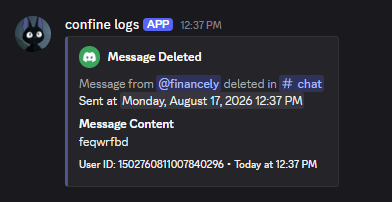
Confine can write a log entry every time something changes in your server — a message gets deleted, someone joins, a role is edited. You choose which categories to track and where each one posts.All commands here require Manage Server.
Adding a log
Event categories
Removing a log
Clearing everything
,log reset removes every configured log in the server. Confine asks you to confirm with buttons first — only whoever ran the command can answer, and the prompt expires after 30 seconds.
Ignoring members and channels
Anything ignored is left out of your logs entirely.,log ignore list shows everything currently ignored. ,log ignore reset clears the list behind a confirmation prompt.
Custom colors
Each event type in each channel can have its own embed color.#. You can also use a name: red, green, blue, yellow, orange, purple, pink, black, white, or gray.
,log color list (channel) shows the colors set for every event in that channel.
Reviewing your setup
,log list pages through every configured log with its channel, event type, and color.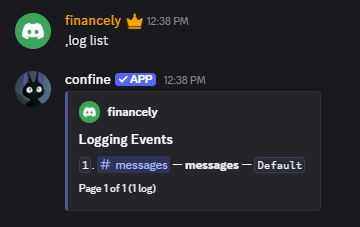
Aliases
,logs and ,logging both work in place of ,log.